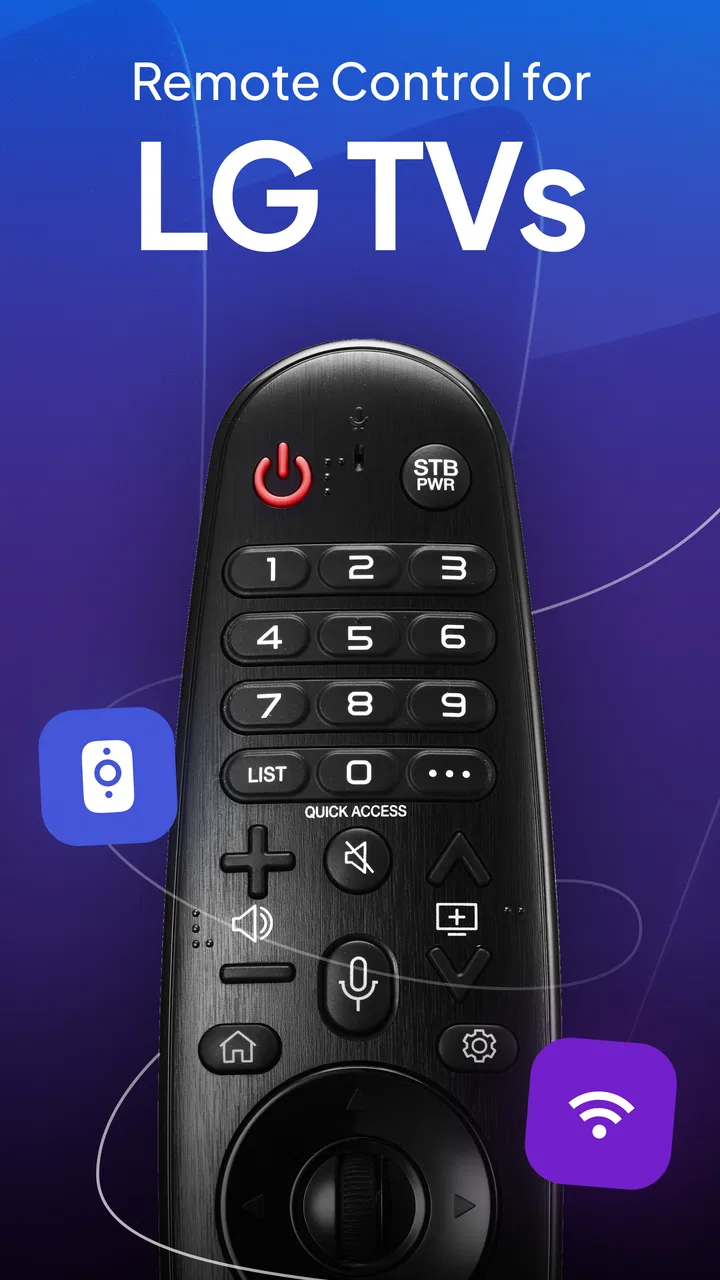
Remote for LG TV Smart Control
- 4.4
- Rating
- 10.00M
- Installs
- Free
- Price
 Analysis by App-foxy
I tested Remote for LG TV Smart Control as the kind of utility you reach for when the physical remote has disappeared between the sofa cushions. It is a free tools app from ControllaTV, designed to turn an Android phone into a controller for a compatible LG smart television through the same local Wi-Fi connection. That basic idea is familiar, but the practical question is whether it is dependable enough for ordinary living-room use, or whether it becomes another app you open only when the original remote is missing.
My overall impression is positive, with an important condition: the phone and television need to communicate properly on the network. When that relationship is already working, the app can be a convenient replacement for simple navigation, volume changes, and input selection. When the network is poorly configured, the experience is less like picking up a remote and more like troubleshooting a small connection problem. That distinction matters more here than the appearance of the buttons.
How the network shapes the first few minutes
The first setup is best approached with both devices already awake and connected to the same home Wi-Fi. This is not a Bluetooth-style accessory that you pair once and then forget about. The app depends on the television being visible to the phone across the local network, so a guest network, an isolated access point, or a phone using mobile data instead of home Wi-Fi can interrupt the discovery process.
You May Also Like

 Blood Strike: 2.5 Anniversary
Blood Strike’s Loadouts Turn Every Drop Into a Tactical Gamble
A close look at Blood Strike’s custom loadouts: how fast access to signature weapons reshapes its battle royale rhythm, rewards preparation, and narrows the gap between fights.

 Pandora - Music & Podcasts
Pandora’s Music Is Easy to Start, but Harder to Recover
Pandora’s strength is its low-effort path from a seed to a station. Its weak spot is how much confidence it asks you to place in connection, setup, and quiet recovery.

 8 Ball Pool
 Is Built on Rivalries, Rematches, and Routine
A close look at the rivalries, rematches, shared routines, and unanswered safety questions that turn a quick pool match into a persistent mobile community.

 Samsung Music
’s Quiet Strength Is Playing What You Already Own
Its reach comes less from spectacle than from dependable access to a personal library. That simplicity is both the app’s strongest retention engine and its ceiling.

 AccuWeather: Weather Radar
AccuWeather Review: A Quick, Clear Forecast for Everyday Decisions
For everyday plans, the best forecast is the one you can understand quickly. AccuWeather makes rain timing, radar, and local conditions easy to act on, with a few trade-offs.

 Hill Climb Racing
Why Hill Climb Racing Still Turns Crashes Into One More Run
A tiny car, a bumpy hill and one more upgrade: Hill Climb Racing keeps resurfacing because its simple chaos makes every near-miss feel personal.
More From Our News Desk



That requirement is easy to overlook because the app itself looks like a remote control. If the television does not appear, repeatedly tapping the scan or connection option is unlikely to solve a router-level separation. I found it more useful to check the phone’s Wi-Fi name first, wake the television with its own control if necessary, and then try again. This simple order saves time and prevents blaming the app for a network arrangement that blocks local devices from seeing one another.
Once the television is found, the connection process may ask for confirmation on the TV. I recommend keeping your attention on the screen during the first attempt rather than leaving the phone on the pairing page. A prompt that needs approval can be easy to miss, especially if the television is showing a film or a quiet menu. If the app seems stuck, look at the TV before closing everything.
The strongest everyday use is not complicated control. It is the small interruption: the remote is missing, the sound is too loud, or you need to pause something while carrying laundry. A phone already in your hand can solve that immediately if the connection is available. The app’s usefulness therefore rises and falls with the quality of the home network, not with how often you use advanced television menus.
There is also a practical difference between a stable home network and a crowded one. If the phone changes access points while you walk through the house, the session may need to be re-established. This is particularly relevant with mesh systems, where the network name stays the same but the phone moves between points. I would not treat that as a serious flaw in the app, but it is a reason to keep expectations realistic: a network remote is only as reliable as the path between the two devices.
What the phone is good at in everyday use
For basic commands, a touchscreen remote has a clear advantage over a lost plastic one: it is searchable, familiar, and usually nearby. I used the phone as a quick controller for changing volume, pausing video, moving around menus, and switching what the TV was showing. These are the jobs that make the app worthwhile. You do not need a separate accessory, and you do not have to stand up simply because the original remote is in another room.
It is especially handy when more than one person is sharing the room. One person can keep the phone while another watches, rather than passing a small remote back and forth. It can also be useful for visitors who understand a phone interface more quickly than an unfamiliar LG remote. That said, a touchscreen does not provide the same physical feedback as real buttons. I sometimes had to look down to make sure I had pressed the intended control, whereas a physical remote can be used by feel.
Typing is another area where a phone can be more comfortable than a traditional remote, particularly when entering a search phrase. Whether every television screen offers the same text behavior depends on the TV interface, but the general advantage remains: a phone is better suited to entering words than a directional pad. I would still keep the original remote nearby during setup, because the app cannot help much if the TV has not yet accepted the connection.
The app is also a useful backup for households where the remote is frequently misplaced. I would not install it solely for occasional novelty, but I can see the appeal of leaving it available for those predictable moments when the physical controller is under a cushion, out of battery, or being used by someone else. Its role is less “replace every control method forever” and more “make the missing remote less disruptive.”
Mobile situations where it earns its place
The most realistic scenario is a quiet evening at home. I start a program, put the physical remote somewhere sensible, and later discover that I need to lower the volume without leaving the sofa. If my phone is already beside me, opening the app and sending the command is faster than searching the room. Another example is pausing the TV while answering the door. Those moments are mundane, but they are exactly where a utility like this proves its value.
It can also help when the television is mounted in a position where the remote is awkward to aim. A phone-based controller may feel more convenient for navigation than repeatedly pointing a small infrared device. The benefit is not that the phone is magically more powerful; it is that the phone is a device I already know how to find and operate.
On the other hand, I would skip this app if you need a controller for several brands and expect them all to behave identically. Its focus is LG TV control, so a household with mixed televisions may still need separate solutions. I would also avoid relying on it as the only option for a guest room, rental property, or television that is frequently reset. In those places, a physical remote is easier for a new user to understand without asking how the local network is arranged.
Another trade-off appears when the phone is busy. A call, low battery, notification, or navigation task can make the phone less convenient than a dedicated remote. You also have to unlock the phone and open the app, while a physical controller is ready in a single motion. The app removes the problem of losing the remote, but it introduces dependence on the device you are using to control the TV.
When connection problems appear
The most useful way to judge this app is to separate pairing trouble from command trouble. If the television is not discovered at all, investigate the Wi-Fi arrangement first: confirm that both devices are on the same home network, turn off any temporary mobile-data path that might confuse the setup, and make sure the TV is awake. If the TV is visible but commands do not seem to work, wait briefly before pressing the same button repeatedly. Multiple taps can create confusion when the network is slow.
A simple recovery routine is more effective than random experimentation. I would close the app, reopen it, and check whether the phone has silently moved to another network. If that does not help, waking the TV and restarting the connection attempt is sensible. Rebooting the router should be a later step, not the first response, because most short interruptions are easier to resolve on the two devices themselves.
There is a human factor here too. If the television is showing a pairing confirmation, the phone may look ready while the TV is waiting for an action. Conversely, the TV may be ready while the phone has lost its local connection. Looking at both screens is the fastest diagnostic habit. This is one of the less obvious lessons of using a phone remote: the interface is split across two devices, so failure is not always visible where you expect it.
Network changes are another likely source of friction. Switching from home Wi-Fi to a hotspot, moving to a guest network, or enabling a privacy configuration that isolates local devices can break the relationship. The app is not a substitute for internet access in the abstract; it needs the phone and TV to reach each other on the relevant local connection. That is why it works best in a settled home setup rather than while travelling between different networks.
For recovery, I suggest keeping the original LG remote accessible during the first few uses. Once the app has proved reliable in your home, it can become a practical backup. Until then, the physical controller gives you a way to wake the TV, inspect its network settings, or approve a prompt. This is not a reason to reject the app; it is a sensible way to avoid a circular problem where the phone needs the TV and the TV needs the phone.
Privacy and data-conscious habits
Because this is a network remote, I prefer using it on a trusted home connection rather than an unfamiliar public network. The key habit is simple: do not treat every Wi-Fi network as equivalent. A hotel, office, or shared apartment network may prevent devices from communicating, and it may not be an environment where I would want a phone to control a television in the first place.
I also avoid leaving the app open when I am finished. That is less about dramatic risk and more about keeping control intentional. A remote app does not need to be active in the foreground all day for the occasional task it performs. Closing it after use makes it clearer when I am actively controlling the TV and reduces the chance of sending an accidental command while switching between apps.
The app is free to download, but in-app purchases range from $8.99 to $39.99 per item. That changes how I evaluate it. For someone who only needs an emergency remote once in a while, I would first make sure the basic experience is useful before paying for anything. For a household that uses it regularly, the value depends on what the paid options add and whether those additions solve a real annoyance rather than merely making an already adequate controller look different.
I would also keep the phone’s broader data habits in mind. If you are away from your usual Wi-Fi, do not assume that mobile connectivity will provide the same local path to the TV. The app’s purpose is tied to device-to-device communication in the home, so using it while travelling is not comparable to using a cloud-based streaming app. That distinction helps avoid wasting time and mobile data while trying to force a connection that the network does not permit.
How it compares with the usual alternatives
The original LG remote remains the simplest option when it is nearby and working. It has dedicated controls, does not compete with phone notifications, and can be handed to another person without explaining the app. For frequent television watchers who value tactile buttons, I would choose the physical remote as the primary tool.
A manufacturer-specific control solution may feel more integrated when it is available for your television model and setup. The advantage of this app is convenience and accessibility: it offers a focused way to control an LG TV from a phone without requiring you to find a separate accessory. A universal hardware remote is a better fit for someone controlling several devices, such as a TV, receiver, and disc player, because one physical controller can cover the whole setup.
Compared with generic remote apps, the LG focus is a strength for an LG household. You are not starting with a huge list of unrelated brands and hoping the right control layout appears. The trade-off is narrower usefulness. If your home contains multiple television brands, or if you want one remote for every appliance, a broader universal solution may be more practical even if it is less focused.
The app also differs from casting tools. Casting sends or selects media from a phone, while a remote utility is mainly about controlling the television itself. Those activities can overlap in a modern living room, but they are not interchangeable. If your main goal is choosing content from a phone, look for a solution built around casting or the relevant streaming service. If your problem is volume, navigation, pausing, or a missing remote, this app is closer to the job you actually need done.
Who should install it, and who should pass
I think it is a strong fit for LG TV owners who frequently misplace the physical remote, prefer using a phone, or want a backup available before a small household problem becomes irritating. It is also sensible for people who already keep their phone close while watching television and do not mind checking the Wi-Fi connection when something goes wrong.
I would be more cautious if you dislike touchscreen controls, have an unreliable home network, or need a remote that works without involving another device. It is not the right answer for controlling a full entertainment system with one set of physical buttons, and it is not ideal if every user in the home needs immediate access without installing or learning anything.
The app is rated for Everyone, runs on Android starting with version 7.0, and its current version is 4.8. It was released on April 4, 2023. Those details make it accessible to a broad range of Android phones, although compatibility in practice still depends on the LG television and local network behaving as expected.
Its public reception is encouraging: it holds a 4.4 average from around 259 thousand ratings, with over 10 million installs and about 1.2 thousand written reviews. I do not read those figures as a guarantee that every television will connect perfectly, but they do suggest that the basic remote concept has reached a substantial audience. The developer, ControllaTV, has clearly focused this product on a common household need rather than trying to turn it into an all-purpose smart-home controller.
My connectivity verdict
Remote for LG TV Smart Control is most convincing when treated as a convenient network-connected backup, not as a universal replacement for every remote. In my experience, its value appears in short, ordinary moments: lowering the volume from the sofa, pausing while answering the door, or navigating after the physical remote vanishes. The phone format is familiar, and the LG focus keeps the purpose clear.
The main condition is unavoidable: the phone and television must be able to communicate through the local Wi-Fi setup. If that sounds acceptable and you own an LG smart TV, I think the free app is worth trying. Start with the basic connection, keep the original remote nearby during setup, and judge it during a real household interruption rather than by browsing its controls for a minute. If it connects consistently, it can become one of those small utilities you appreciate precisely because it removes an everyday annoyance.
If your network is regularly isolated, your phone is often unavailable, or you want one physical controller for a complete entertainment system, I would choose a different alternative. For the right home, though, this is a practical tool with a clear purpose. I would recommend installing it as a backup first, then deciding whether its convenience justifies any optional in-app purchase.
After using it, my recommendation is straightforward: try it if your main problem is access to an LG TV, not if your main problem is managing an entire home theater. The connection requirement deserves attention, but it is also what lets a phone become a useful controller without carrying another piece of hardware around.
FAQs for Remote for LG TV Smart Control
01What is Remote for LG TV Smart Control, and how does it work?
Remote for LG TV Smart Control is a mobile application designed to control compatible LG Smart TVs from an Android or iOS device. After installing it, you generally connect the phone and television to the same Wi-Fi network, select the detected TV, and use on-screen buttons for power, volume, channels, navigation, and other basic functions. Its performance depends on the TV model, network connection, and app compatibility.
02Is Remote for LG TV Smart Control compatible with every LG television?
No, compatibility is not guaranteed for every LG television. The application is mainly intended for supported LG Smart TV models with network-control capabilities, while older, non-smart, or unusual regional models may not appear during setup. Before downloading, check the app’s current compatibility information and confirm that your television supports mobile remote features. Some functions may also vary according to the TV’s webOS version.
03Does my phone need to be connected to the same Wi-Fi network as the LG TV?
In most cases, yes. Your smartphone and LG television normally need to be connected to the same local Wi-Fi network so the application can discover and communicate with the TV. If the television is connected by Ethernet, it may still work as long as both devices share the same network. Guest networks, VPNs, router isolation, or weak signals can prevent detection and cause connection problems.
04Can the app replace the original LG remote completely?
The app can be a convenient replacement for many everyday tasks, including navigating menus, changing volume, switching channels, and entering text more easily than with a traditional remote. However, it may not reproduce every button or specialized feature found on the original LG controller. Functions such as certain shortcut keys, voice controls, pointer behavior, or setup commands can depend on the TV model and the app version.
05Is Remote for LG TV Smart Control free and safe to use?
The application may be available as a free download, but it can include advertising, optional purchases, or limitations depending on the platform and version. Before installing, review the store listing, developer details, permissions, privacy policy, and recent user feedback. A remote-control app should not require unrelated access to personal information. Download it only from an official app store, and avoid unofficial modified versions that may create security risks.
Pros
- Works with most LG Smart TVs connected to the same Wi‑Fi network.
- Simple interface makes changing channels and volume quick.
- Includes navigation buttons for menus and smart TV apps.
- Useful backup when the physical remote is lost or damaged.
- No extra hardware is needed beyond your smartphone.
Cons
- Requires the phone and TV to share the same Wi‑Fi connection.
- Some advanced TV functions may not be supported.
- Free versions may include frequent advertisements.
- Connection can be unreliable on crowded or weak networks.
- Compatibility may vary across older LG TV models.

Remote for LG TV Smart Control
Gallery